Tally
A personal tax engine
Tracks income, expenses and deductions all year from bank and sales feeds, keeps receipts filed for audit, and answers questions by chat. Two tax returns lodged from it.
Replaces: the shoebox and the spreadsheet
How we do it
Curious how an automation actually comes together? Below are working, illustrative versions of the things we build most: workflows, meetings that write their own actions, live registers and software that replaces expensive subscriptions. Press play on any of them.
01 · The flight plan
You always know what stage we're at, what it costs and what you'll have at the end of it. Nothing is built until you've agreed the plan and the price.
90 minutes with you and the people who do the work. We map where the hours actually go, not where everyone thinks they go.
You get: a written list of time sinks, ranked by hours saved per dollar.
For the jobs worth doing, a plain-English design: what triggers it, what it touches, who approves what, and what happens when something goes wrong.
You get: a fixed price and a date. No hourly meter.
Built inside your own accounts, tested on real (copied) data, and run side by side with the old way until you trust it.
You get: a working automation and a test log you can read.
A short walkthrough with your team, a one-page "how this works" and the admin keys. It's yours, not ours.
You get: ownership, documents and no lock-in.
Systems change: a supplier changes its invoice layout, Microsoft renames a button. We watch for failures and fix them before you notice.
You get: someone to call, and a monthly health note.
02 · Why now
Five years ago, a new way of working took a decade to reach small business. Today it can take a few months. AI assistants, automated bookkeeping and self-service customers are already normal for your competitors' customers.
A business that keeps its old processes isn't standing still. Measured against everyone else's clock, it is falling behind, and the gap compounds every month. The good news: catching up is mostly a matter of using what you already pay for.
Gap 0
03 · Workflows
Most of our builds are workflows like these, in Power Automate (included with most Microsoft 365 business plans) or the Google equivalent. A trigger starts it, conditions decide the route and actions do the work. Pick one and press run.
Illustrative: names and values are invented. Real builds include error handling, retries and an alert to a person when something can't be decided automatically.
04 · Meetings → actions
Teams already transcribes your meetings. We add the part that matters: actions picked out, given an owner and a due date, and filed in your register, with the owner nudged automatically. A person reviews the list before it goes out.
Action register
| Action | Owner | Due |
|---|---|---|
| Actions appear here as they're spoken. | ||
Illustrative transcript with invented names. In real use, nothing is sent to anyone until a person has checked the list.
05 · Information & action registers
Actions, risks, issues and decisions in one list (in SharePoint or Excel, where your team already works), with a dashboard on top and owners reminded before things go overdue. Filter it, then let a week go by.
| ID | Type | Item | Owner | Due | Status |
|---|
Illustrative data. "Today" in this demo starts on a Monday; each week that passes moves due dates closer and sends the reminders a real register would send.
Before / after
Drag the handle or flip between them. One is three hours of copying from five places; the other assembles itself while the PM writes two lines of commentary.
Weekly_Report_FINAL_v7 (2).xlsx
≈ 3 h 10 m · every Friday
Week 47 status · generated 3:00 pm
≈ 10 m · every Friday
06 · Bespoke software
Some subscriptions are worth every cent. Others charge every user, every month, for a product built for someone else's business. For those, a small app built around how you work, in your style and your words, can cost less within a year or two and fit better from day one.
Illustrative only. Every case is different, and the Orbit Check gives you a real number. We'll also tell you when not to replace something: accounting, payroll and anything with heavy compliance rules is usually best left to the specialists.
Your data, your rules
Many subscription platforms keep your records on their servers, under their terms, and learn from how you use them. Some share that information with partners or advertisers. Then every new tool asks you to accept its cookies before you can get on with the job. When the app is yours, it runs in an account you own, and the data never becomes someone else's product.
General comparison, not a claim about any particular product: read the terms of the tools you use. A login still needs one essential cookie to keep you signed in; what you won't get is tracking.
Tally
Tracks income, expenses and deductions all year from bank and sales feeds, keeps receipts filed for audit, and answers questions by chat. Two tax returns lodged from it.
Replaces: the shoebox and the spreadsheet
IRIS
Scan from a phone, read it with on-device AI, name it, file it and encrypt it. Face ID sign-in, no data leaves home.
Replaces: a paid scanning app subscription
BasecampView
Charts, indicators and alerts on its own data, styled the way we like to read them.
Replaces: a paid charting subscription
Palette
Home, energy, money and calendar on one screen, with its own passkey sign-in, built for one person's way of looking at things.
Replaces: four apps and a lot of switching
07 · Smart spaces
The same thinking, applied to the building: lights, air-conditioning, energy, alarms and the small daily routines, all working together on one clear dashboard. For businesses and for homes.
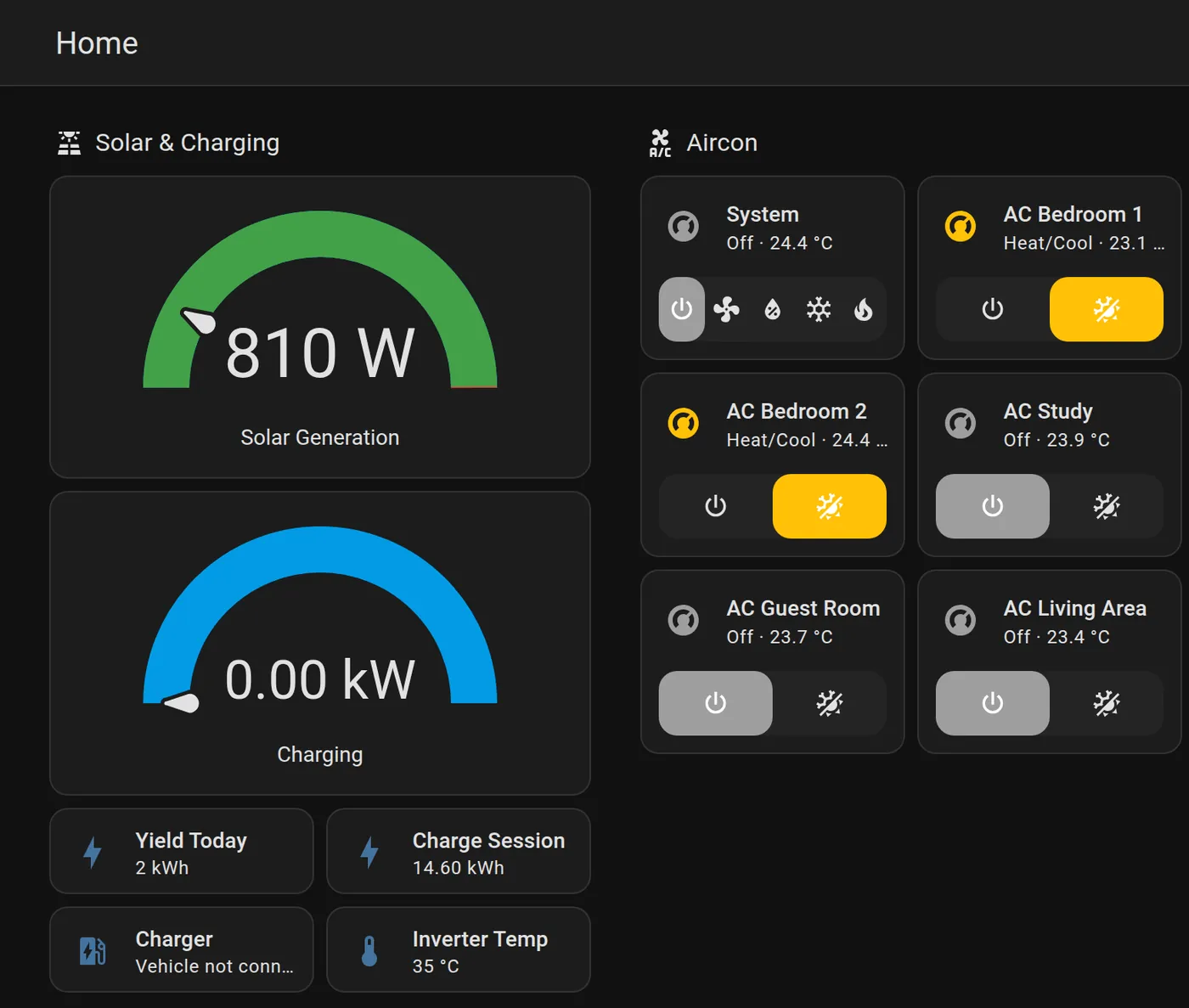
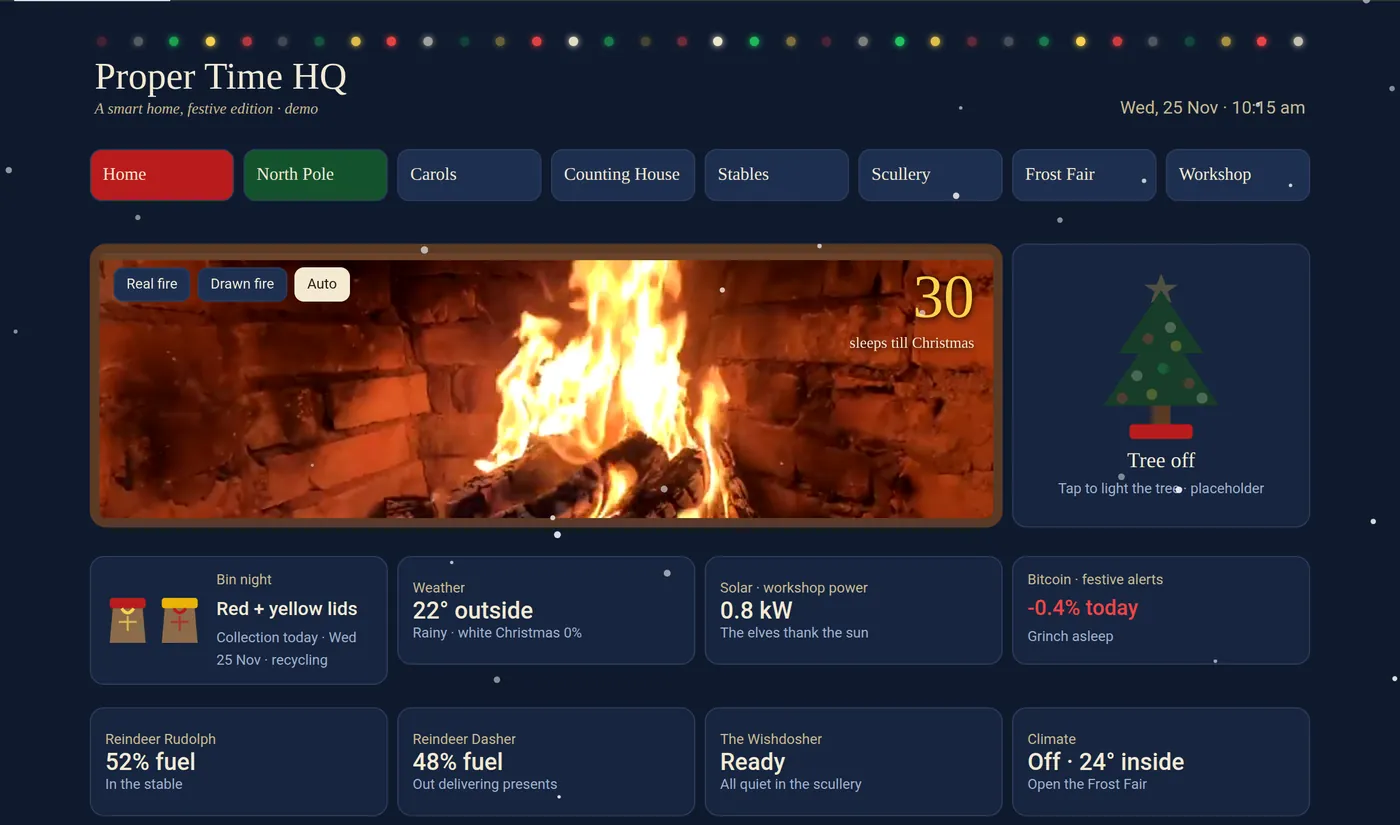
Option 1 · plug and play
Smart plugs, sensors, bulbs and controllers you can buy at the shop, chosen to work together and set up on a local hub, so it keeps working even when the internet doesn't. No electrician needed, and you own every device.
Option 2 · hardwired
For switchboard monitoring, hardwired switches, lighting circuits and anything behind the wall, we quote the job and our licensed electrical partner does the installation to Australian standards. One quote, one dashboard, no finger-pointing.
08 · Automation maturity check
Eight quick questions, about two minutes. You'll get a level from 1 to 5 and the three moves that would make the biggest difference. Nothing you choose here is sent anywhere.
09 · Questions
In your own Microsoft 365 or Google account, where it already is. We build inside your tenant; we don't copy your business data onto our systems.
You keep everything. Automations run in your accounts, you hold the admin access, and every build comes with a one-page explanation so another person can pick it up.
Usually not. Most Microsoft 365 business plans already include Power Automate, SharePoint, Forms and Teams. If a premium connector or licence would help, we'll show you the cost before you agree to anything.
Used properly, yes. We keep AI on a short leash: it drafts, summarises and sorts, and a person approves anything that reaches a customer. We use business-grade services that don't train on your data, and we'll explain exactly what goes where.
Judgement, relationships and anything that changes every time. We automate the repeatable layer around them, so the people doing that work get more time for it. If something isn't worth automating, we'll say so in the Orbit Check.
A single automation is usually one to three weeks from agreed design to handover, including the side-by-side testing period. Dashboards and bespoke apps take longer and are scoped in the flight plan.
An Orbit Check is A$290. Single automations start at A$900, dashboards at A$2,400 and support plans at A$29 a month. Those are starting points for a straightforward setup: every job is quoted case by case, in writing, and the quote is fixed before work starts. Bigger, business-wide work (Mission Design) is scoped with you. See pricing.
You do. It runs in an account in your name, the data stays there, and you hold the admin keys. We don't sell, share or mine it, and there are no tracking cookies, so your team and your customers aren't asked to accept any.
Yes. We can set up plug-and-play devices you buy off the shelf, or quote a permanent hardwired installation carried out by our licensed electrical partner. Either way you get one dashboard and you own all the equipment.
Yes. Most of the work happens remotely in your own systems; we're based in South East Queensland and happy to visit locally.
Book a 90-minute Orbit Check and we'll find your biggest time sinks, then tell you honestly which ones are worth automating.
Book an Orbit Check Try the Mission Planner